Ubuntu 26.04 LTS Is Out — My First Impressions from Live USB
Iwan Efendi5 min
Ubuntu 26.04 LTS 'Resolute Raccoon' is out with Linux 7.0 and GNOME 50. Here are my first impressions from a live USB before upgrading from 25.10.
For the past few weeks I'd been watching Ubuntu 26.04 develop — beta builds, snapshot ISOs, daily updates in the mailing list. So when Canonical finally hit the publish button today, I had a live USB ready and waiting. Not out of impatience, but because I actually wanted to feel the release day experience for once, before committing to an upgrade on my daily driver.
Turns out, that was a good call.
Ubuntu 26.04 LTS 'Resolute Raccoon' officially released on April 25, 2026, shipping with Linux Kernel 7.0, a full GNOME 50 desktop without any Xorg session, and a number of changes that have been in the pipeline for years. Standard support runs for 5 years, with another 5 years of security coverage under Ubuntu Pro.
I'll be honest — I've never been impressed by Ubuntu live sessions. They usually feel sluggish, animations stutter, and there's always some small thing that doesn't work. This time was different.
GNOME 50 felt noticeably more responsive from the very first boot. The dock is now fully opaque — no more transparency — which gives the whole desktop a sharper, more deliberate feel. The new colorful folder icons might be a bit loud for some tastes, but I found them refreshing.
The most immediate difference was in GNOME Shell scrolling and animation. I can't benchmark that from a live session, but subjectively everything felt tighter. VRR (Variable Refresh Rate) is enabled by default for supported displays, and my monitor picked it up right away.
If you've already read my earlier piece on Ubuntu 26.04's new features and major changes, you know the full picture — GNOME 50 on full Wayland, Kernel 7.0, a modern toolchain, and ROCm/CUDA now available via a simple
Resources as the new system monitor is a significant upgrade over the old GNOME System Monitor. The layout is cleaner, CPU/GPU/Memory data is laid out more clearly. Showtime replacing Totem is similarly welcome — minimal but functional. And the Security Center is a genuinely useful addition, especially for managing disk encryption or Ubuntu Pro status in one place.
One thing that caught me off guard: Software & Updates is gone. There's no standalone GUI anymore for managing PPAs, repos, or drivers. Parts of it have been folded into App Center and Security Center. If you need it back,
Honestly, this is the part I enjoyed most from the live session.
GNOME Shell Search is much more useful now. Type in the overview and you get results from App Center alongside a web search shortcut via Firefox — both installed as default search providers. It feels natural, not tacked on.
Notifications now use bold text for titles, and modal/popover radius is more consistent across the board. Small details, but the cumulative effect is a desktop that looks more polished. If you're running Performance or Power Saving mode, a new icon shows in the top bar. Balance mode shows nothing — sensible logic.
A small one worth mentioning: sudo now shows asterisks as you type your password in the terminal. You can hit Tab to hide them. Tiny change, but friendly for newcomers.
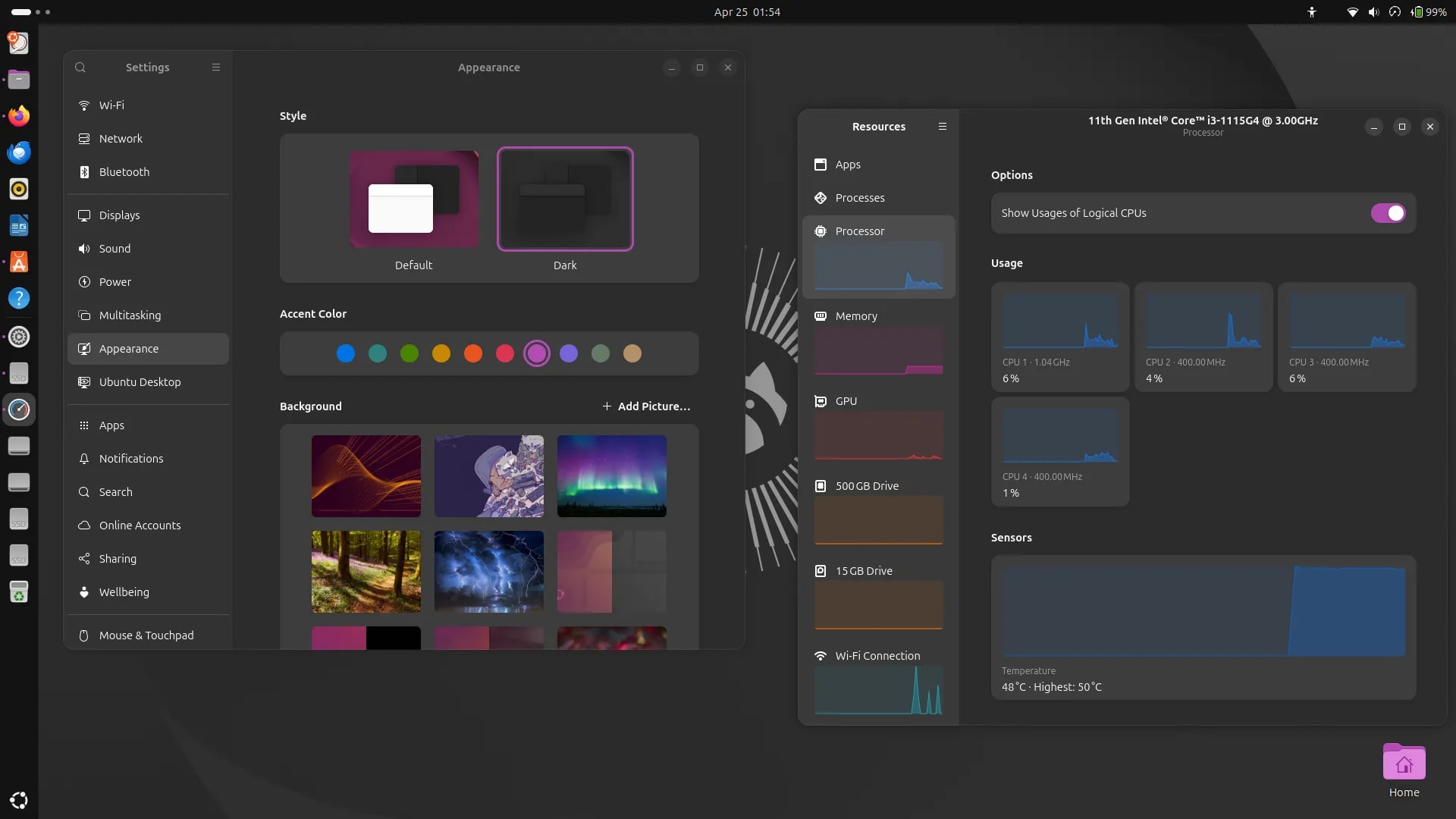 Appearance settings and Resources monitor running side by side — two of the first things I checked in the live session.
Canonical has officially raised the recommended system specs for 26.04:
This isn't because Ubuntu or GNOME got heavier. It's more of an honesty bump — the kind of workloads people actually run on top of Ubuntu need more overhead. My machine with 8 GB ran the live session without any complaints.
Appearance settings and Resources monitor running side by side — two of the first things I checked in the live session.
Canonical has officially raised the recommended system specs for 26.04:
This isn't because Ubuntu or GNOME got heavier. It's more of an honesty bump — the kind of workloads people actually run on top of Ubuntu need more overhead. My machine with 8 GB ran the live session without any complaints.
If you're currently on Ubuntu 25.10 like me, an upgrade prompt should appear on your desktop in the coming days. I'm planning to upgrade and will document the process — including anything that doesn't go smoothly.
A few things worth knowing before you jump:
Ubuntu 26.04 LTS feels like the most polished Ubuntu release in several cycles. Dropping Xorg was a bold move — but after seeing how well GNOME 50 handles everything on Wayland, I no longer think it was premature.
The live USB experience alone was good enough to convince me. I rarely say that about live sessions, but this one was genuinely usable from first boot. That's a real sign of progress.
I've got my flash drive ready. Upgrade is happening this week.
If you want to try it yourself before committing, you can grab the ISO directly from Canonical's release server:
⬇ Download Ubuntu 26.04 LTS Desktop ISO (AMD64)
If you've already tried it — live USB or clean install — drop a comment below. I'm especially curious how the experience compares for people upgrading from 24.04.
Scope of This Post
This is a first-look from a live USB session — not a full post-install review. I'm planning to upgrade from Ubuntu 25.10 and will share that experience separately, including how the upgrade process goes.
The Live USB Experience: Surprisingly Good
Screenshot: Ubuntu 26.04 desktop from my live USB session
What's Actually New in 26.04
apt install. I won't rehash all of that here.
What I want to highlight are the things that only felt real once I saw them in action:
Screenshot: New apps and features visible in the live session
apt install software-properties-gtk still works.
Desktop and UI: Small Changes, Bigger Impact
Screenshot: GNOME 50 visual changes and UX improvements in Ubuntu 26.04
System Requirements: RAM Got a Bump
Zoom
Upgrading: Don't Rush If You're on 24.04
- From Ubuntu 24.04 LTS: The direct upgrade path to 26.04 won't open until July 2026, when Ubuntu 26.04.1 LTS ships. If you don't want to wait, clean install is the safer path — or manual upgrade at your own risk.
- From Ubuntu 25.10: The upgrade prompt will appear automatically. There's no pressure to do it immediately.
- No more Software & Updates GUI: If you relied on this to manage non-LTS upgrade paths (like jumping to 26.10 in October), you'll need an alternative for now — though this may be addressed in a future update.
SnipGeek's Take
References
Topics
Topics in this article
Explore related topics and continue reading similar content.
Share this article
Discussion
Preparing the comments area...


