GNOME 50 Makes Ubuntu 26.04 Feel Like a Big Upgrade
Iwan Efendi7 min

GNOME 50 gives Ubuntu 26.04 LTS a bigger-than-usual jump from 25.10 with smoother visuals, sharper productivity tools, and stronger remote desktop performance.
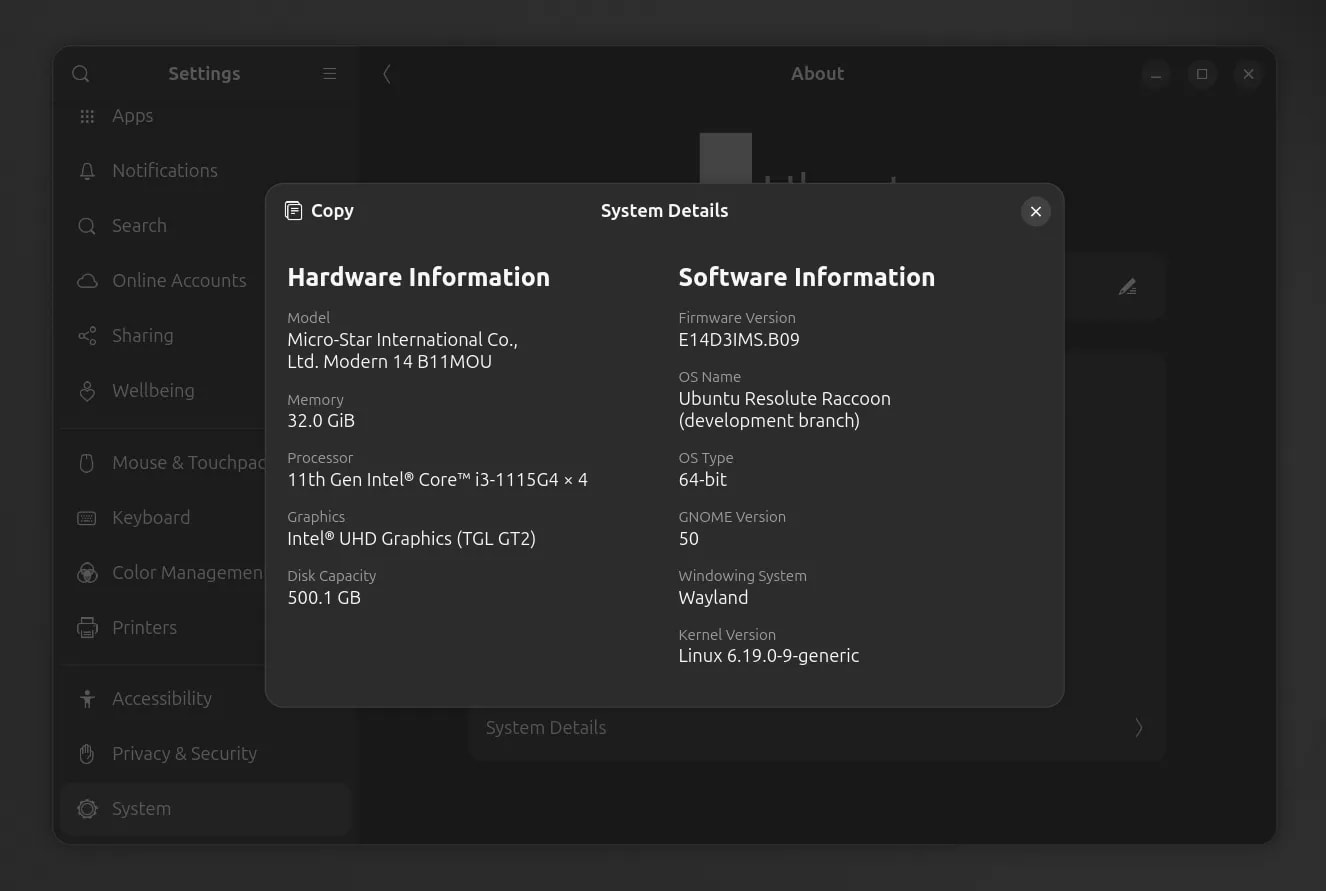
If you are already comfortable on Ubuntu 25.10, GNOME 50 is one of the biggest reasons Ubuntu 26.04 LTS should feel like a meaningful upgrade instead of a routine LTS rollover. The short version is simple: smoother display behavior, better fractional scaling defaults, faster Files performance, much more practical PDF annotation in Papers, and a remote desktop stack that finally sounds more serious for daily work. I also tested it directly through the Ubuntu 26.04 Live USB daily build released on March 16, 2026, so this impression is not based on changelogs alone. For people who spend hours writing, researching, browsing, and juggling windows all day, it could make Ubuntu 26.04 feel noticeably more refined than the jump size alone suggests.
 If you want the broader distro context beyond GNOME itself, read my earlier breakdown of Ubuntu 26.04 LTS major changes.
The biggest difference is not one flashy screenshot. It is the number of small but meaningful friction points GNOME 50 tries to remove at once.
For display handling, GNOME 50 ships with Variable Refresh Rate (VRR) and fractional scaling enabled by default in upstream GNOME for supported hardware. GNOME's official release notes also highlight a low-latency cursor path while VRR is active, plus NVIDIA-focused smoothness work in Mutter. For Ubuntu users, that matters because visual polish is not just about aesthetics anymore. It directly affects how fluid scrolling, window movement, pointer feel, and general desktop responsiveness come across in real use.
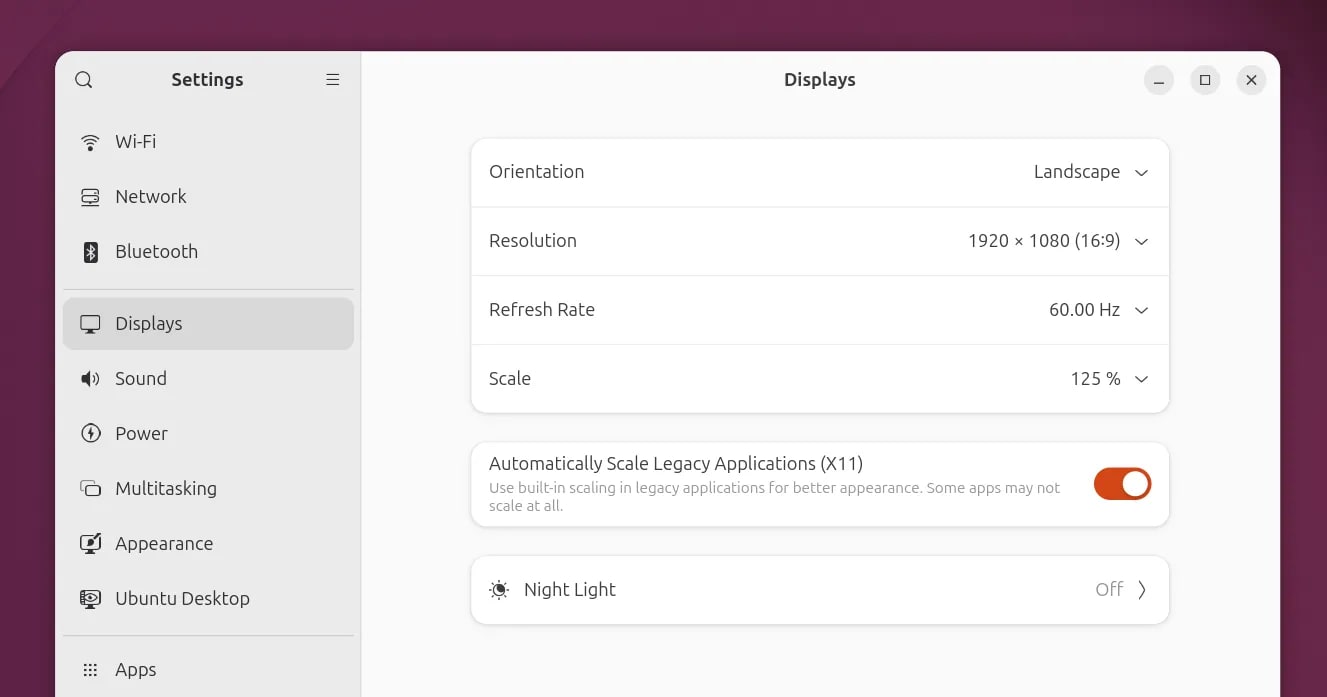
Ubuntu-oriented coverage also points to a useful extra touch for 26.04: legacy X11 app scaling controls in the Displays panel for XWayland apps. That will not magically fix every old app, but it is exactly the kind of pragmatic setting that makes a modern Wayland desktop easier to live with during a long transition period.
If you want the broader distro context beyond GNOME itself, read my earlier breakdown of Ubuntu 26.04 LTS major changes.
The biggest difference is not one flashy screenshot. It is the number of small but meaningful friction points GNOME 50 tries to remove at once.
For display handling, GNOME 50 ships with Variable Refresh Rate (VRR) and fractional scaling enabled by default in upstream GNOME for supported hardware. GNOME's official release notes also highlight a low-latency cursor path while VRR is active, plus NVIDIA-focused smoothness work in Mutter. For Ubuntu users, that matters because visual polish is not just about aesthetics anymore. It directly affects how fluid scrolling, window movement, pointer feel, and general desktop responsiveness come across in real use.
Ubuntu-oriented coverage also points to a useful extra touch for 26.04: legacy X11 app scaling controls in the Displays panel for XWayland apps. That will not magically fix every old app, but it is exactly the kind of pragmatic setting that makes a modern Wayland desktop easier to live with during a long transition period.
 There is also deeper display groundwork underneath the visible UI. During the GNOME 50 RC cycle, Mutter picked up support tied to sdr-native color mode, wp-color-management v2, HDR screen sharing, and more NVIDIA-specific performance fixes. Not every user will notice those on day one, but together they explain why GNOME 50 feels like more than a cosmetic release.
This is the part I find more convincing than headline-chasing feature lists.
There is also deeper display groundwork underneath the visible UI. During the GNOME 50 RC cycle, Mutter picked up support tied to sdr-native color mode, wp-color-management v2, HDR screen sharing, and more NVIDIA-specific performance fixes. Not every user will notice those on day one, but together they explain why GNOME 50 feels like more than a cosmetic release.
This is the part I find more convincing than headline-chasing feature lists.
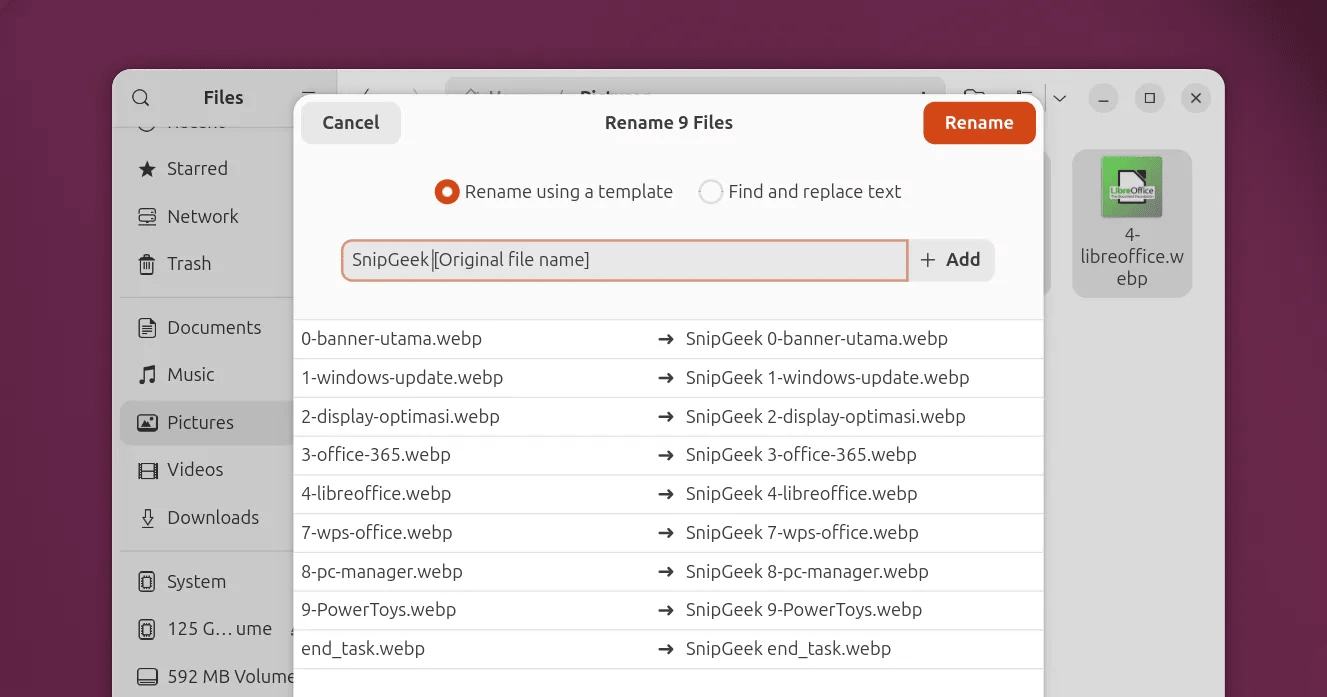 None of those changes sounds dramatic alone. But if you spend every day opening folders, previewing assets, renaming screenshots, or sorting downloads for blog work, these are exactly the kinds of improvements that make a desktop feel newer without forcing you to relearn it.


 GNOME 50 also introduces a built-in Reduced Motion setting, and Calendar gains better navigation plus attendee visibility. These are not “sell the release” features by themselves, but they round out the impression that GNOME 50 is trying to improve long-session usability, not just add demo material.
One of the most practical upgrades in GNOME 50 is the remote desktop work. Official GNOME notes call out hardware-accelerated remote desktop sessions using Vulkan and VA-API, better NVIDIA behavior via explicit sync, proper HiDPI scaling on remote clients, webcam redirection, and Kerberos support for more serious setups.
That is a bigger deal than it may look at first glance. A Linux desktop starts feeling much more production-ready once remote sessions are smooth enough that you stop thinking about them.
For Ubuntu users who occasionally remote into another machine for file retrieval, testing, or admin tasks, this is the kind of platform improvement that changes daily friction more than a new wallpaper ever could.
From my side, Ubuntu 25.10 has already been very safe for daily blogging, research browsing, and general article workflow. Even my dual-boot setup with Windows 11 25H2 has remained stable enough that I do not feel pressured to change anything in a hurry.
That is exactly why GNOME 50 catches my attention.
Ubuntu 26.04 LTS does not need to "rescue" my setup. It needs to justify the move with better daily feel, better display behavior, and better productivity flow. After testing the March 16, 2026 Live USB daily build myself, my first impression points in that direction: cleaner desktop behavior, more consistent UI motion, and less friction in basic productivity flow.
That said, this is still a Live USB validation, not a long-term installed system. I will continue with full-release testing through both routes: direct upgrade and fresh install.
I tested from a Live USB session using
If your machine is already stable, I would still treat the first Ubuntu 26.04 wave carefully, especially on a dual-boot setup.
Early Ubuntu 26.04 testing reported by OMG Ubuntu suggested that some parental control and Reduced Motion behavior was not fully convincing yet on pre-release builds. I would treat that as a packaging-stage caveat rather than a final judgment, but it is still worth knowing if those features matter to you.
The same rule applies to anything color-management-related: GNOME 50 clearly moves the platform forward, but wide-gamut, HDR, and monitor-specific behavior will still depend on your hardware, drivers, and Ubuntu's final integration choices.
GNOME 50 makes Ubuntu 26.04 LTS look like more than a normal support-cycle refresh. If you are moving from Ubuntu 25.10, the combination of smoother display handling, faster file management, practical PDF markup, and stronger remote desktop plumbing should make the jump feel materially newer.
That does not mean every feature will land perfectly on every machine on day one. But from where I sit, this is exactly the kind of release where the daily desktop experience is likely to improve in ways you actually notice.
GNOME 50 also introduces a built-in Reduced Motion setting, and Calendar gains better navigation plus attendee visibility. These are not “sell the release” features by themselves, but they round out the impression that GNOME 50 is trying to improve long-session usability, not just add demo material.
One of the most practical upgrades in GNOME 50 is the remote desktop work. Official GNOME notes call out hardware-accelerated remote desktop sessions using Vulkan and VA-API, better NVIDIA behavior via explicit sync, proper HiDPI scaling on remote clients, webcam redirection, and Kerberos support for more serious setups.
That is a bigger deal than it may look at first glance. A Linux desktop starts feeling much more production-ready once remote sessions are smooth enough that you stop thinking about them.
For Ubuntu users who occasionally remote into another machine for file retrieval, testing, or admin tasks, this is the kind of platform improvement that changes daily friction more than a new wallpaper ever could.
From my side, Ubuntu 25.10 has already been very safe for daily blogging, research browsing, and general article workflow. Even my dual-boot setup with Windows 11 25H2 has remained stable enough that I do not feel pressured to change anything in a hurry.
That is exactly why GNOME 50 catches my attention.
Ubuntu 26.04 LTS does not need to "rescue" my setup. It needs to justify the move with better daily feel, better display behavior, and better productivity flow. After testing the March 16, 2026 Live USB daily build myself, my first impression points in that direction: cleaner desktop behavior, more consistent UI motion, and less friction in basic productivity flow.
That said, this is still a Live USB validation, not a long-term installed system. I will continue with full-release testing through both routes: direct upgrade and fresh install.
I tested from a Live USB session using
If your machine is already stable, I would still treat the first Ubuntu 26.04 wave carefully, especially on a dual-boot setup.
Early Ubuntu 26.04 testing reported by OMG Ubuntu suggested that some parental control and Reduced Motion behavior was not fully convincing yet on pre-release builds. I would treat that as a packaging-stage caveat rather than a final judgment, but it is still worth knowing if those features matter to you.
The same rule applies to anything color-management-related: GNOME 50 clearly moves the platform forward, but wide-gamut, HDR, and monitor-specific behavior will still depend on your hardware, drivers, and Ubuntu's final integration choices.
GNOME 50 makes Ubuntu 26.04 LTS look like more than a normal support-cycle refresh. If you are moving from Ubuntu 25.10, the combination of smoother display handling, faster file management, practical PDF markup, and stronger remote desktop plumbing should make the jump feel materially newer.
That does not mean every feature will land perfectly on every machine on day one. But from where I sit, this is exactly the kind of release where the daily desktop experience is likely to improve in ways you actually notice.
Zoom
Freshness Note
This article is based on GNOME 50 final release notes published on March 18, 2026, Ubuntu-focused reporting during the Ubuntu 26.04 pre-release cycle, and hands-on testing via the Ubuntu 26.04 AMD64 Live USB daily build published on March 16, 2026. Some Ubuntu-specific behavior can still shift slightly before the final Ubuntu 26.04 LTS images ship.
Why GNOME 50 Makes the 25.10 to 26.04 Jump Feel Bigger
Zoom
Daily Productivity Changes Look More Useful Than They Sound
Files Gets Faster and Less Annoying
GNOME's official notes say Files focuses on performance, reliability, and interface cleanup in version 50. In plain language, that means faster thumbnail and icon loading, lower memory use, better batch rename highlighting, multiple file-type search filters, case-insensitive path completion, and free-floating properties windows.Zoom
Zoom
Papers Becomes More Practical for Real Work
GNOME 50 also modernizes Papers with much better annotation tools. According to the official GNOME release notes, you can now add text, lines, highlights, and erase them directly from the main document view with a cleaner interface. For me, this matters more than it first appears. If you review PDFs, mark research notes, sign simple documents, or leave quick callouts before publishing, built-in annotation removes the need to reach for extra apps for small jobs.Zoom
Small System Indicators Are Quietly Useful
GNOME 50 adds a power profile indicator in the top bar when you leave Balanced mode. That sounds minor until you remember how easy it is to forget you switched to Low Power or Performance earlier in the day. It is one of those tiny reminders that saves confusion later when battery life or fan noise starts behaving differently.Zoom
Remote Desktop and Visual Smoothness Could Matter More in 2026
SnipGeek's Take
Hands-on Note: Live USB Daily Build (March 16, 2026)
resolute-desktop-amd64.iso, listed on Ubuntu's official Daily Live channel with timestamp 2026-03-16 06:59.
Most noticeable first-pass findings:
- Desktop transitions and panel behavior felt more consistent than my Ubuntu 25.10 baseline.
- Modern display options are easier to find for newer monitor workflows.
- Files stayed responsive with real working folders containing many assets.
- Light research workflow (browser + notes + file manager) already felt comfortable in test mode.
- Long-session stability after updates and daily workload accumulation.
- Driver-specific behavior across wider hardware combinations.
- Real dual-boot impact after permanent installation.
If You Plan to Upgrade from Ubuntu 25.10
1
Wait for the final Ubuntu 26.04 LTS release channelGNOME 50 itself is final, but Ubuntu integration details still matter. If your machine is part of your daily work setup, it is smarter to wait for the official Ubuntu 26.04 LTS upgrade path instead of forcing early transitions.
2
Back up the machine before choosing upgrade or fresh installSave browser data, SSH keys, writing drafts, app configs, and any custom dotfiles first. If you dual-boot with Windows, also make sure your recovery path is clear before you touch partitions.
3
Re-check your Windows side if this is a dual-boot laptopIf you ever need to rebuild the Windows side or prepare recovery media, keep this Windows 11 bootable USB guide nearby. If you are planning larger disk changes, this clean Windows 11 installation guide is also useful as a safety reference.
4
Verify the features you actually care about after first bootOpen Settings > Displays and confirm scaling/refresh options, test Files with a heavy folder, open a PDF in Papers, and check whether your real workflow feels smoother instead of just newer.
What I Verified in Live USB, and Will Re-verify After Full Install
- VRR and fractional scaling options are available on supported hardware.
- Files stays comfortable to use with heavier real-world folders.
- Papers annotation tools are present and clearly usable.
- Desktop responsiveness feels stable under light multitasking.
- The same checklist will be repeated on a full install for long-term validation.
Caveats Worth Keeping in Mind
Bottom Line
References
Topics
Topics in this article
Explore related topics and continue reading similar content.
Share this article
Discussion
Preparing the comments area...