Windows 11 26H1 Is Here — But Not for Your PC
Iwan Efendi5 min

Windows 11 26H1 is official but limited to new Snapdragon X2 devices. Here's what it means for 24H2 and 25H2 users still on the mainstream update track.
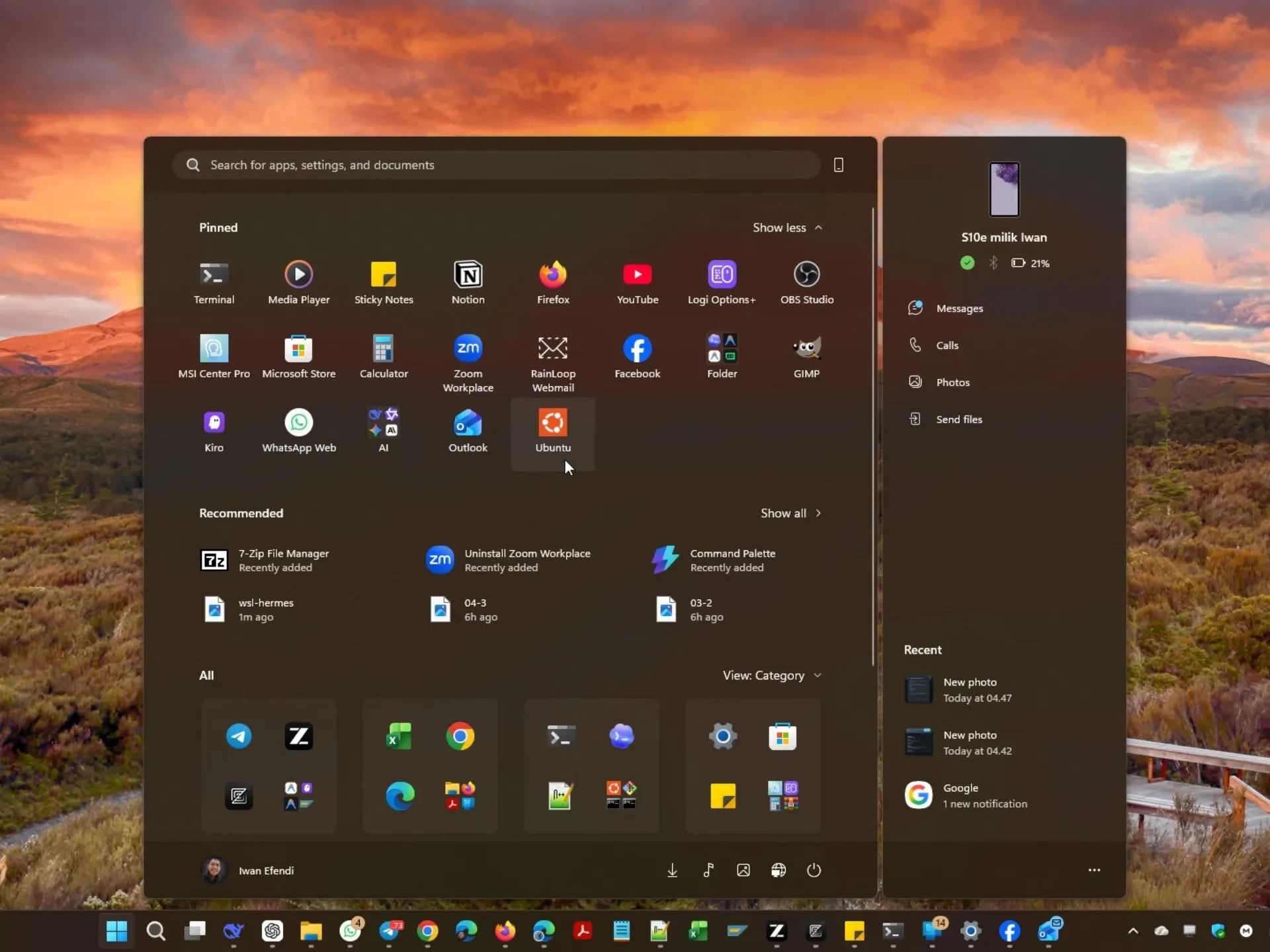
I've been on Windows 11 24H2 since it dropped, and honestly, I haven't felt any rush to upgrade. The AI features baked deeper into 25H2 just haven't been compelling enough to justify the switch — I even removed the Microsoft Widget panel because I simply never used it.
 Removed it without a second thought. The widget panel just wasn't something I needed on a daily basis.
So when news broke that Microsoft had confirmed Windows 11 26H1, I got curious — is this the version that finally changes the equation? After reading through Microsoft's official blog post and poking around the details, the answer is more nuanced than a simple yes or no.
Here's the headline — 26H1 is not a regular Windows update. It's a new branch of Windows 11 built on a completely different OS core, and it's exclusively targeting brand-new devices powered by the Qualcomm Snapdragon X2 Series chipset.
If you're running 24H2 or 25H2 on your current machine, you will not receive 26H1. Not because you're being left out — but because your device is literally running on a different code foundation. Microsoft was clear: this is for early adopters and next-gen hardware, not for the mainstream fleet.
What's interesting — and a little unusual — is that 26H1 devices won't get a 26H2 update either. Because 26H2 will be built on yet another core (the same one as the broader mainstream releases), there's no clean upgrade path from 26H1 to 26H2. Microsoft hasn't confirmed where 26H1 will eventually land — 27H1 is a possibility, but nothing's been finalized.
For enterprise IT admins, there's one more thing worth noting: hotpatch updates are not supported on 26H1. That means no more update without restart for those devices. Not a dealbreaker for early adopters, but it's something to plan for if you're managing a fleet.
Since 26H1 isn't coming to mainstream machines anytime soon, the more practical question is: is it worth jumping from 24H2 to 25H2?
I've stayed on 24H2 for this exact reason — the differences haven't felt significant enough. But there are some real distinctions worth knowing.
Speaking of updates — just this morning (March 22, 2026), a small but important update dropped for both 24H2 and 25H2: KB5085516.
Removed it without a second thought. The widget panel just wasn't something I needed on a daily basis.
So when news broke that Microsoft had confirmed Windows 11 26H1, I got curious — is this the version that finally changes the equation? After reading through Microsoft's official blog post and poking around the details, the answer is more nuanced than a simple yes or no.
Here's the headline — 26H1 is not a regular Windows update. It's a new branch of Windows 11 built on a completely different OS core, and it's exclusively targeting brand-new devices powered by the Qualcomm Snapdragon X2 Series chipset.
If you're running 24H2 or 25H2 on your current machine, you will not receive 26H1. Not because you're being left out — but because your device is literally running on a different code foundation. Microsoft was clear: this is for early adopters and next-gen hardware, not for the mainstream fleet.
What's interesting — and a little unusual — is that 26H1 devices won't get a 26H2 update either. Because 26H2 will be built on yet another core (the same one as the broader mainstream releases), there's no clean upgrade path from 26H1 to 26H2. Microsoft hasn't confirmed where 26H1 will eventually land — 27H1 is a possibility, but nothing's been finalized.
For enterprise IT admins, there's one more thing worth noting: hotpatch updates are not supported on 26H1. That means no more update without restart for those devices. Not a dealbreaker for early adopters, but it's something to plan for if you're managing a fleet.
Since 26H1 isn't coming to mainstream machines anytime soon, the more practical question is: is it worth jumping from 24H2 to 25H2?
I've stayed on 24H2 for this exact reason — the differences haven't felt significant enough. But there are some real distinctions worth knowing.
Speaking of updates — just this morning (March 22, 2026), a small but important update dropped for both 24H2 and 25H2: KB5085516.
 Installed it this morning. The update screen confirmed both the KB number and the build version.
This is classified as an out-of-band (OOB) update, meaning it wasn't part of the regular Patch Tuesday cycle. It was released specifically to fix one critical problem that surfaced after the March 10, 2026 update (KB5079473).
A few details worth knowing:
26H1 is a fascinating architectural experiment, but calling it a mainstream Windows release feels like a stretch. It's a specialized branch for specialized hardware, and Microsoft is being pretty transparent about that — which I actually respect. They're explicitly saying: if you're in enterprise, don't change your procurement plans just for this.
For the rest of us on 24H2 or 25H2, nothing has really changed. Your machine stays on the mainstream servicing track, continues to get monthly patches, and if you're not on Copilot+ hardware, the 25H2 upgrade still isn't dramatically compelling.
If you were hit by that sign-in bug after March 10 — install KB5085516 today. It's a small fix but a real one.
What version are you currently on? Still holding on 24H2 like me, or have you moved to 25H2? Let me know below.
Installed it this morning. The update screen confirmed both the KB number and the build version.
This is classified as an out-of-band (OOB) update, meaning it wasn't part of the regular Patch Tuesday cycle. It was released specifically to fix one critical problem that surfaced after the March 10, 2026 update (KB5079473).
A few details worth knowing:
26H1 is a fascinating architectural experiment, but calling it a mainstream Windows release feels like a stretch. It's a specialized branch for specialized hardware, and Microsoft is being pretty transparent about that — which I actually respect. They're explicitly saying: if you're in enterprise, don't change your procurement plans just for this.
For the rest of us on 24H2 or 25H2, nothing has really changed. Your machine stays on the mainstream servicing track, continues to get monthly patches, and if you're not on Copilot+ hardware, the 25H2 upgrade still isn't dramatically compelling.
If you were hit by that sign-in bug after March 10 — install KB5085516 today. It's a small fix but a real one.
What version are you currently on? Still holding on 24H2 like me, or have you moved to 25H2? Let me know below.
Zoom
Windows 11 26H1: A Different Kind of Release
Who Gets 26H1?
Only new devices shipping with Qualcomm Snapdragon X2 Series chipsets will receive Windows 11 26H1. Existing 24H2 and 25H2 machines are on a separate servicing track and will not be upgraded to this branch.
24H2 vs 25H2 — Where Most of Us Actually Are
What 25H2 Actually Added
25H2 was less of a dramatic overhaul and more of a continuous-delivery update that bundled months of incremental improvements. Here's what genuinely landed:- Deeper Copilot+ PC features — Things like Recall (on supported hardware), Cocreator in Paint, and Live Captions improvements are more mature in 25H2.
- Taskbar resizing — When too many apps are open, the taskbar now automatically shrinks icons to fit everything visibly. Small but surprisingly useful.
- Windows Hello redesign — The sign-in UI was refreshed to be cleaner and faster across different authentication flows.
- Wi-Fi 7 enterprise support — If you're in an org running Wi-Fi 7 access points, 25H2 brings proper driver-level support for it.
- Windows Backup for Organizations — IT teams can now back up and restore user settings + Microsoft Store apps across device transitions.
- New privacy dialog UI — When an app asks for camera or microphone access, Windows now dims the screen and centers the prompt — hard to miss.
Why I'm Still on 24H2
Honestly? Most of those Copilot+ features require hardware I don't have — NPU-heavy chips like the Snapdragon X or Intel Core Ultra. On a standard Intel setup, 25H2 feels almost identical to 24H2 in daily use. The AI-assisted features that get all the marketing attention just don't activate without the right silicon. Until something genuinely useful lands for non-Copilot+ hardware, 24H2 keeps running smoothly and I'm not in any hurry.KB5085516 — The Out-of-Band Update I Just Installed
Zoom
What KB5085516 Fixes
After installing the March 10 update, some users started seeing a "no Internet" error when attempting to sign in to apps using a personal Microsoft account — even though the device was clearly connected. Services like Microsoft Teams (Free) and OneDrive were affected. KB5085516 fixes this sign-in issue entirely.
- Affected builds: Windows 11 24H2 (OS Build 26100.8039) and 25H2 (OS Build 26200.8039)
- Scope: Only personal Microsoft accounts were affected. Business accounts using Microsoft Entra ID were not impacted.
- This update is cumulative — it includes all previous fixes from KB5079473 plus this one additional repair.
SnipGeek's Take
Topics
Topics in this article
Explore related topics and continue reading similar content.
Share this article
Discussion
Preparing the comments area...