Microsoft’s Quality Vision: Better Windows 11 Experience in 2026
Iwan Efendi3 min

Microsoft is refocusing on Windows 11 quality, bringing back vertical taskbar, faster File Explorer, and more control over AI and updates.
I've been a Windows user for as long as I can remember, and while Windows 11 brought a fresh look, the "quality" aspect always felt a bit hit-or-miss. From forced updates that restart my laptop at the worst possible time to a taskbar that felt more restrictive than its predecessor, the frustration is real.
Currently, I'm running a dual-boot setup with Windows 11 and Ubuntu 25.10, but there are days I genuinely consider making a full switch to Linux just to have that extra peace of mind.
But the latest announcement from Pavan Davuluri and the Windows Insider team feels like a breath of fresh air. They aren't just promising new shiny icons; they’re deep-diving into the core Windows experience to fix what actually matters to us daily.
Microsoft is preparing a massive quality update for Windows 11 in 2026, focusing on three pillars: performance, reliability, and "craft." This includes the highly-requested vertical taskbar, a snappier File Explorer, and a more streamlined Copilot integration that feels less like clutter and more like a tool.
I was honestly surprised to see them admit that Copilot needed a more "intentional" touch. Here is the roadmap of improvements heading to Insider builds throughout this month and beyond:
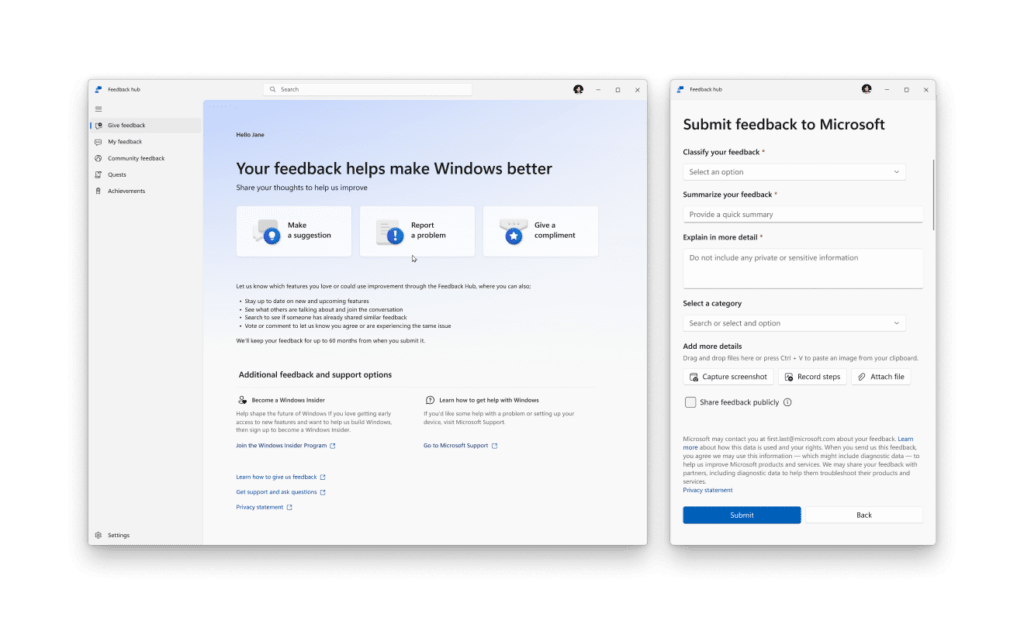 The updated Feedback Hub makes it easier to track how our suggestions shape Windows.
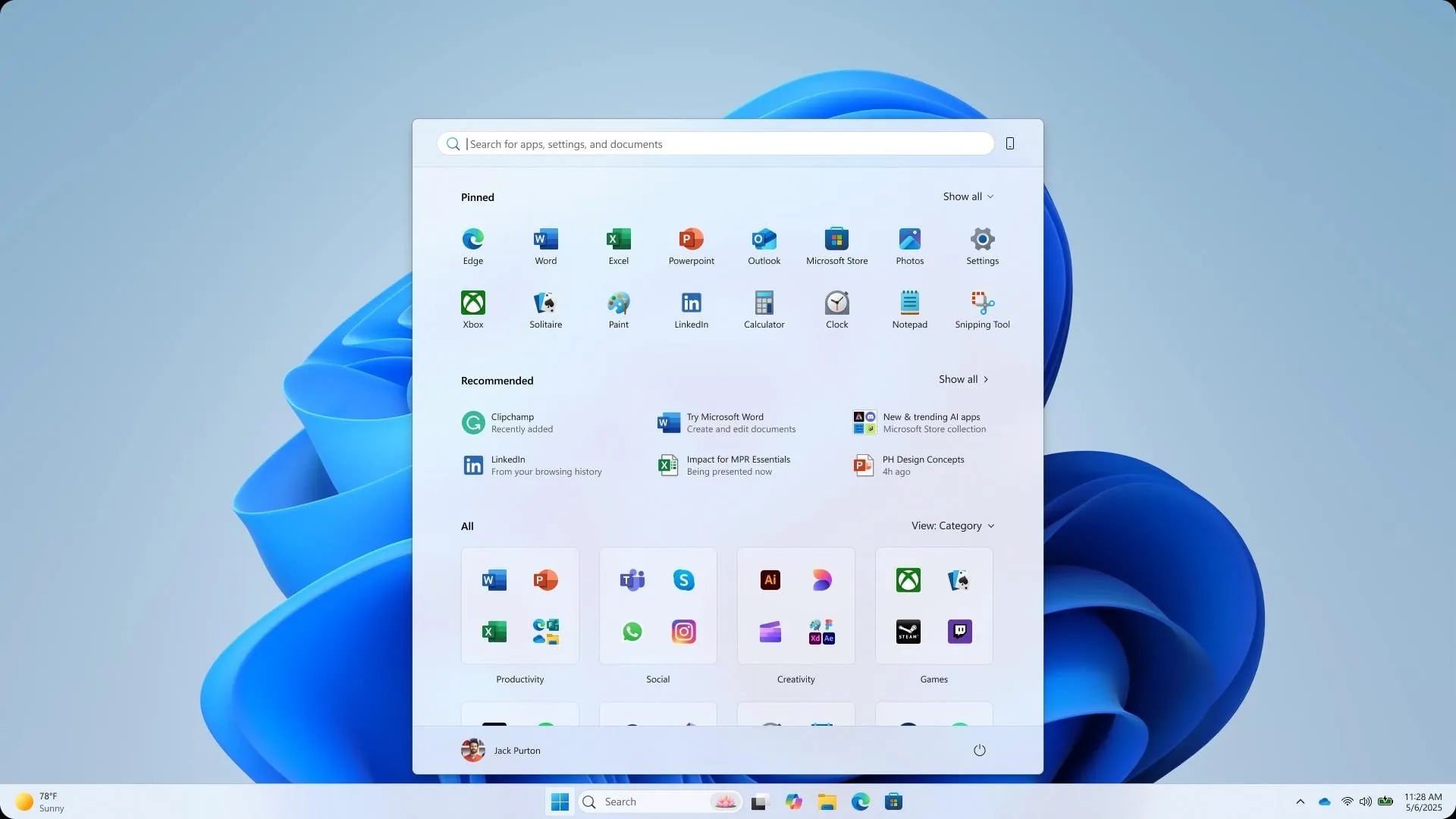
Beyond the visual tweaks, the team is migrating core Windows experiences like the Start menu and Taskbar to the WinUI3 framework. This might sound technical, but for us, it means much lower latency and a desktop that feels "alive" and responsive even under heavy load.
The Windows Subsystem for Linux (WSL) is also getting some love. If you’re a developer like me, you’ll appreciate the faster file performance between Linux and Windows and improved network compatibility. Reliability is the bedrock of trust, and it feels like Microsoft is finally trying to earn that trust back.
If you are planning to refresh your setup before these changes arrive, you might want to check my guide on how to clean install Windows 11 or see what else you should do after installing Windows 11 to keep it snappy.
The updated Feedback Hub makes it easier to track how our suggestions shape Windows.
Beyond the visual tweaks, the team is migrating core Windows experiences like the Start menu and Taskbar to the WinUI3 framework. This might sound technical, but for us, it means much lower latency and a desktop that feels "alive" and responsive even under heavy load.
The Windows Subsystem for Linux (WSL) is also getting some love. If you’re a developer like me, you’ll appreciate the faster file performance between Linux and Windows and improved network compatibility. Reliability is the bedrock of trust, and it feels like Microsoft is finally trying to earn that trust back.
If you are planning to refresh your setup before these changes arrive, you might want to check my guide on how to clean install Windows 11 or see what else you should do after installing Windows 11 to keep it snappy.
 Finally! The vertical taskbar is making a comeback.
I’ve heard big promises from Microsoft before, but this time there’s a real sense of "listening." The fact that they are meeting Insiders in person in cities like Seattle shows they want genuine feedback, not just telemetry data.
For me, the return of the vertical taskbar alone makes this a win. If Microsoft can deliver on the promise of "less noise and more craft," Windows 11 might finally become the "refined" OS we were hoping for back in 2021.
What features have you been waiting for the most? I'd love to hear if you think these fixes are enough to keep you on Windows.
Finally! The vertical taskbar is making a comeback.
I’ve heard big promises from Microsoft before, but this time there’s a real sense of "listening." The fact that they are meeting Insiders in person in cities like Seattle shows they want genuine feedback, not just telemetry data.
For me, the return of the vertical taskbar alone makes this a win. If Microsoft can deliver on the promise of "less noise and more craft," Windows 11 might finally become the "refined" OS we were hoping for back in 2021.
What features have you been waiting for the most? I'd love to hear if you think these fixes are enough to keep you on Windows.
What’s Changing in Windows 11 (2026)?
Zoom
1
Vertical Taskbar and Customization
Repositioning the taskbar is easily one of the top requests since Windows 11 launched. I’ve missed having my taskbar on the side for better vertical screen real estate, and Microsoft is finally bringing it back. You'll soon be able to move it to the top or sides, giving us back that sense of control over our workspace.2
Predictable Windows Updates
We've all been there: a forced reboot in the middle of a project. Microsoft is fixing this by moving to a single monthly reboot for updates. More importantly, you'll be able to pause updates longer, skip them during device setup, and even shut down your PC without being forced to install pending updates.3
Faster File Explorer Fundamentals
File Explorer is getting a major under-the-hood polish. The goal is to reduce interaction latency and launch times while making file operations like moving or copying large files more reliable. I’ve noticed a bit of flicker recently, so seeing "reduced flicker" on the official list is a huge relief.4
Streamlined AI and Copilot
Instead of shoving AI into every corner, Microsoft is reducing unnecessary Copilot entry points. Starting with apps like Snipping Tool and Photos, they are focusing on craft—meaning AI will be integrated where it actually makes sense, not just for the sake of being there.Reliability and Performance Under the Hood
Freshness Note
These features are currently rolling out to the Windows Insider Program. If you are on the Stable channel, expect these to arrive later this year as part of the broader 2026 quality rollout.
SnipGeek’s Take: Is It Enough?
Zoom
References
Topics
Topics in this article
Explore related topics and continue reading similar content.
Share this article
Discussion
Preparing the comments area...