Zorin OS 18.1 Is Out — What's New and Who Should Use It
Iwan Efendi6 min

Zorin OS 18.1 brings Linux 6.17, Xfce 4.20 Lite edition, improved window tiling, and LibreOffice 26.2 — a solid update for both new and returning users.
My dual-boot machine has been running Ubuntu 25.10 and Windows 11 for a while now — and honestly, I'm happy with that setup. But every time a new Zorin release lands, I find myself curious. Zorin OS has always been the distro I'd confidently recommend to anyone tired of Windows but not quite ready to go full terminal-warrior. So when 18.1 dropped on April 15, I went through the release notes properly — and I think this one is genuinely worth paying attention to.
Zorin OS 18.1 is a point release built on Ubuntu 24.04 LTS, bringing Linux kernel 6.17, the long-awaited Lite edition, updated window tiling, LibreOffice 26.2, and a handful of refinements that quietly improve everyday use. Here's what you actually need to know.

 If you're switching from Windows and still need to collaborate on
The headline addition for Zorin OS 18.1 is the return of the Lite edition — the lightweight variant built around Xfce 4.20 for older and lower-spec machines. It ships on the same foundations (Linux 6.17, Mesa 25.3) but is tuned for hardware that would struggle under a full GNOME shell.

Those Lite numbers are striking — 512 MB RAM minimum. That puts it in a completely different tier from the main edition. If you have a machine with 1–2 GB of RAM collecting dust, Zorin OS Lite is one of the more realistic options to breathe life back into it.
This is a question I keep seeing come up, especially for people with older machines. The short answer: they serve different use cases.
I wrote about Ubuntu 26.04's new minimum RAM requirement of 6 GB recently. That increase is a real shift — Ubuntu GNOME is pushing forward, and its baseline hardware expectations are growing with it. Zorin OS 18.1 Core also requires GNOME, but it lists a minimum of just 2 GB RAM. In practice, you'll want 4 GB to have a comfortable experience on either.
But the moment you switch to Zorin OS Lite, the comparison changes completely:
If your machine has 8 GB+ RAM and you want the freshest stack, Ubuntu 26.04 makes sense. But for machines in the 2–4 GB range — especially if the user is coming from Windows — Zorin OS 18.1 is the more sensible pick, and Zorin Lite handles everything below that.
Ubuntu 26.04 has a longer LTS window (until 2031 vs. 2029), but two years of support difference is rarely the deciding factor for most users.
Zorin OS comes in four editions. Here's the real breakdown:
My honest take: Core is the right choice for almost everyone. Pro unlocks some extra Zorin desktop layouts (that mimic macOS, Windows XP, etc.) and bundles a few extra apps, but nothing you strictly need. If you love the project and want to support its development, Pro is a nice way to do that. If you're on a tight budget, Core gives you the full experience.
Education is worth knowing about if you're setting up machines in a classroom or school environment — it comes pre-loaded with educational tools without you having to hunt them down.
Already on Zorin OS 18? Just run a system update via Software Updater, or run:
On Zorin OS 17? You can upgrade directly without wiping your files using the Zorin upgrade tool from the Zorin Menu.
Fresh install? Download the ISO for the Core edition below:
For the Lite edition download, visit the Zorin support page. The ISOs are provided for 64-bit Intel/AMD devices only.
Zorin OS 18.1 is a confident point release. It doesn't reinvent anything, but it sharpens the things that already made Zorin OS stand out — the Windows app compatibility layer, the tiling window manager, and the clean GNOME setup that doesn't require you to tweak anything out of the box.
The Lite edition is the biggest news for me personally. There's a real gap in the Linux ecosystem for distros that run well on 2 GB of RAM without asking you to sacrifice a modern UI entirely. Zorin Lite fills that gap better than most. For anyone with a machine that Ubuntu 26.04 would turn away at the door — Zorin Lite is worth a serious look.
If you're already on Ubuntu and happy there, you don't need to jump ship. But if you're helping someone switch from Windows, or you're looking for a distribution that handles low-spec hardware without drama, Zorin OS 18.1 is one of the better answers available right now.
Have you tried Zorin OS before? I'd be curious whether you went with Core or Lite — drop a comment below.
What's New in Zorin OS 18.1
Window Tiling Gets Smarter
Zorin OS 18 introduced Advanced Window Tiling as a standout feature — a customised fork of the Tiling Shell GNOME extension. Version 18.1 makes it more practical:- You can now reorder tiling layouts from the edit layouts dialog
- Bring all tiled windows to the foreground together when switching to a tiled app from the taskbar or dock
- Enhanced edge tiling — drag a window to the edge and it snaps to your active custom layout instead of just a half or quarter of the screen
Zoom
Edge tiling now snaps to your own custom tiling layout — not just the default halves.
These options are neatly tucked inside Zorin Appearance → Windows, which is exactly where I'd expect to find them. It's a small thing, but having the settings live in one coherent place rather than scattered across extensions feels genuinely more polished.
LibreOffice 26.2 Included Out of the Box
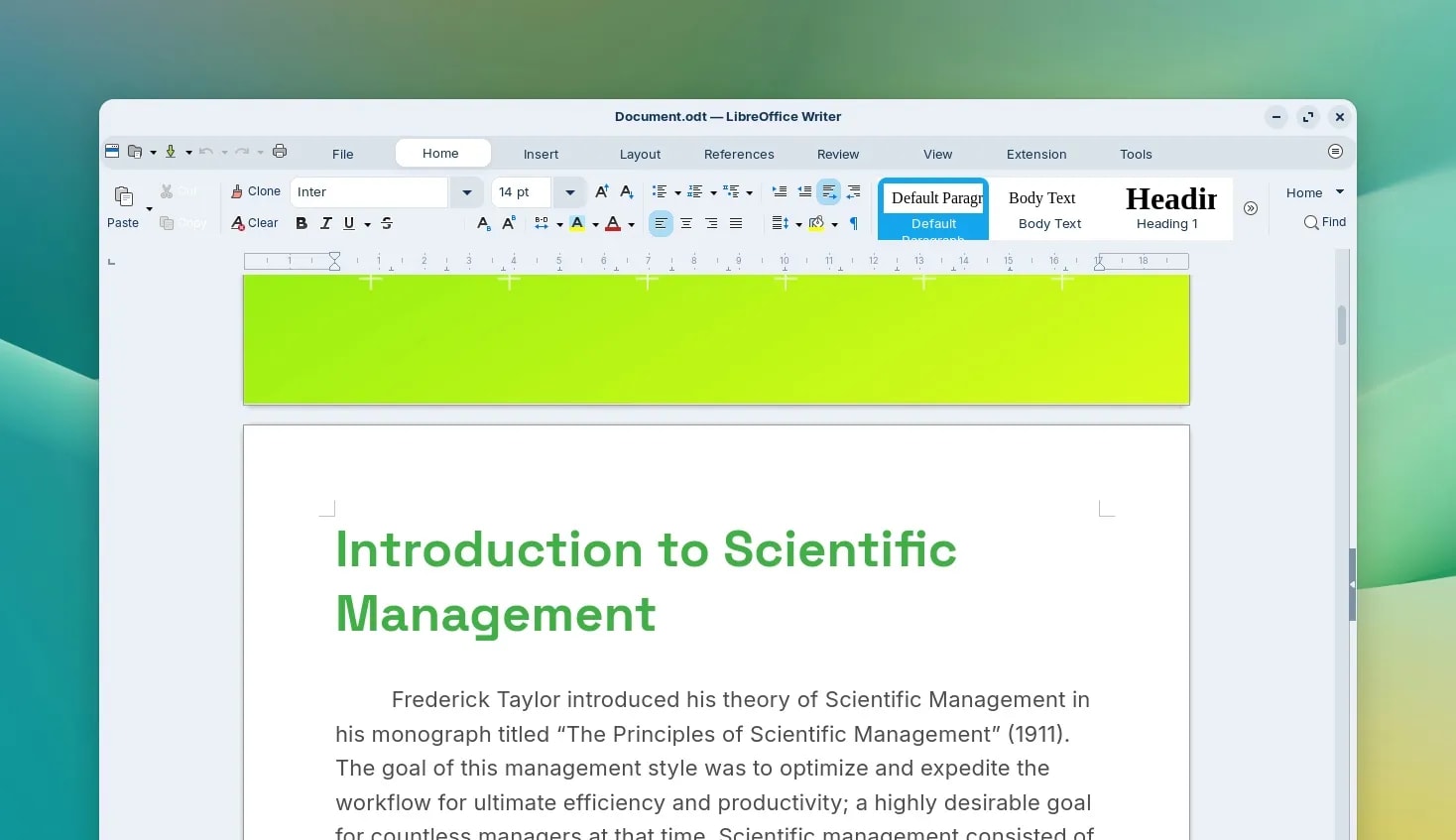
Zorin OS 18.1 ships with LibreOffice 26.2 — the newest version of the suite. Highlights include:- Better compatibility with Microsoft Office and Microsoft 365 documents
- Native Markdown support
- Connector shape objects in Calc and Writer
- Various performance improvements
Zoom
.docx or .xlsx files, this makes the transition measurably less painful.
Windows App Suggestion Database Expanded by 40%
One of Zorin OS's quieter but genuinely useful features: when you try to run a.exe file, the system detects it and recommends the best Linux equivalent from the Software store. In 18.1, this database was expanded by over 40%, now covering over 240 Windows apps.
So if you double-click the Plex installer, for example, Zorin will tell you there's a native Linux version available. For Evolution Mail, it suggests it as an alternative to Microsoft Outlook. It won't mean anything to long-time Linux users, but for Windows migrants, it's exactly the kind of friction reducer that makes the first week much less frustrating.
Panel and Interface Refinements
- Right-to-left script support in the panel — Arabic, Hebrew, and Urdu users will now see a properly mirrored taskbar layout
- Tray icon toggle — a new option in Zorin Appearance → Interface lets you hide or show system tray icons globally, or configure individual icon behaviour including size, position, and opacity
- General performance improvements and bug fixes throughout the desktop
Hardware Support via Linux Kernel 6.17
This is the part that surprised me most. Zorin OS 18.1 bumps the kernel to Linux 6.17 — the same version currently in Ubuntu 25.10. That's a meaningful leap in hardware compatibility. Newly supported devices include:- NVIDIA graphics cards (updated drivers)
- Intel Xe3 graphics
- AMD hybrid laptop GPUs
- Lenovo ThinkPad and Samsung Galaxy Book laptops
- Apple Magic Mouse 2 (USB-C) and Touch Bar on Intel MacBook Pros
- Game controllers: PlayStation 5 DualSense, Acer Nitro NGR200, Turtle Beach Recon
- Gaming handhelds: ASUS ROG Ally, Lenovo Legion Go, OneXPlayer
Lite Edition Is Finally Here
Zoom
Zorin OS 18.1 Lite — Xfce 4.20 desktop, redesigned file manager, and a refreshed theme.
What's new in Lite since 17.3:
- Xfce 4.20 desktop — brings the improvements from the major Xfce release including better Wayland groundwork and refinements throughout
- Redesigned File Manager — streamlined interface better suited for smaller displays
- Fingerprint reader support — enroll your fingerprint directly from Settings for authentication
- Refreshed desktop themes — more rounded appearance with new Yellow and Brown colour options
- Web Apps tool — turn any website into a standalone desktop app, visible in the start menu
Minimum Hardware Requirements
Zorin OS 18.1 vs Ubuntu 26.04: Which One for Your Hardware?
| Ubuntu 26.04 (GNOME) | Zorin OS 18.1 Core (GNOME) | Zorin OS 18.1 Lite (Xfce) | |
|---|---|---|---|
| Min RAM | 6 GB | 2 GB | 512 MB |
| Kernel | Linux 7.0 | Linux 6.17 | Linux 6.17 |
| Desktop | GNOME 50 | GNOME 46 | Xfce 4.20 |
| LTS Support | Until 2031 | Until April 2029 | Until April 2029 |
| Windows-friendly | ✗ | ✓ | ✓ |
Core vs. Pro vs. Lite vs. Education: Which Edition Should You Get?
How to Get Zorin OS 18.1
sudo apt update && sudo apt upgradeSupport Window
Zorin OS 18.1 receives software updates and security patches until April 2029, aligned with Ubuntu 24.04 LTS's support lifecycle. That's a stable three-year window from now.
SnipGeek's Take
References
Topics
Topics in this article
Explore related topics and continue reading similar content.
Share this article
Discussion
Preparing the comments area...