Download SketchUp Make 2017: The Last Free Offline Version
Iwan Efendi3 min
Looking for a free offline 3D modeling tool? SketchUp Make 2017 is still the gold standard for hobbyists and home DIYers. Here is why and how to get it.
I've been using SketchUp for home renovation planning for a while now — from estimating material needs to visualizing room layouts. It's been genuinely helpful. But as I'm not a professional designer, paying for a Pro subscription always felt like a bit of an overkill.
After doing some research, I found that SketchUp 2017 Make is the last officially released version that is both free and works fully offline. This is exactly why it's still so highly sought after today — especially for personal, educational, or non-commercial projects.
The good news is that this software isn't too demanding when it comes to specs. Even an older laptop should be able to run it without much of a struggle. If you want to check your system details before downloading, you can read my guide on the best free apps to check PC/laptop specs to verify your components.
Since Trimble officially sunsetted the desktop SketchUp Make in favor of "SketchUp for Web," the original installer is no longer hosted on Trimble's servers. As a result, users have to rely on third-party archives and community mirrors.
To ensure safety:
Follow these simple steps to set up the software on your system:
When I first installed it, I was greeted by a 30-day trial notification — which made me a bit hesitant at first. Was it truly free, or just a trial period before I had to reach for my wallet?
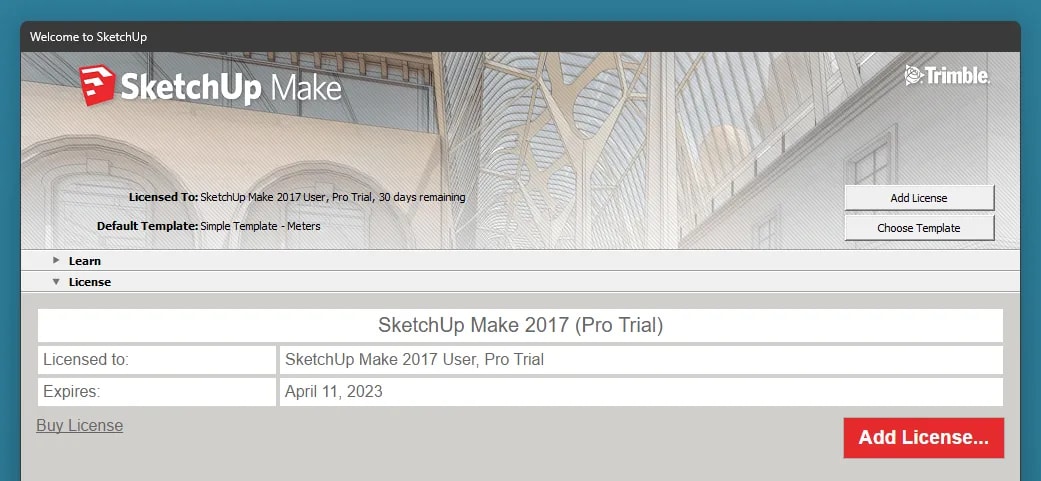 The SketchUp Make 2017 trial screen — it looks just like the paid version, but there is a nice surprise after the 30 days are up.
You can download the installation file via the link below:
SketchUp Make 2017 (x64)146.5 MBDownload
If you have any experiences or tips regarding SketchUp Make 2017, feel free to share them in the comments — I'll update this post if there is any new info that needs to be added.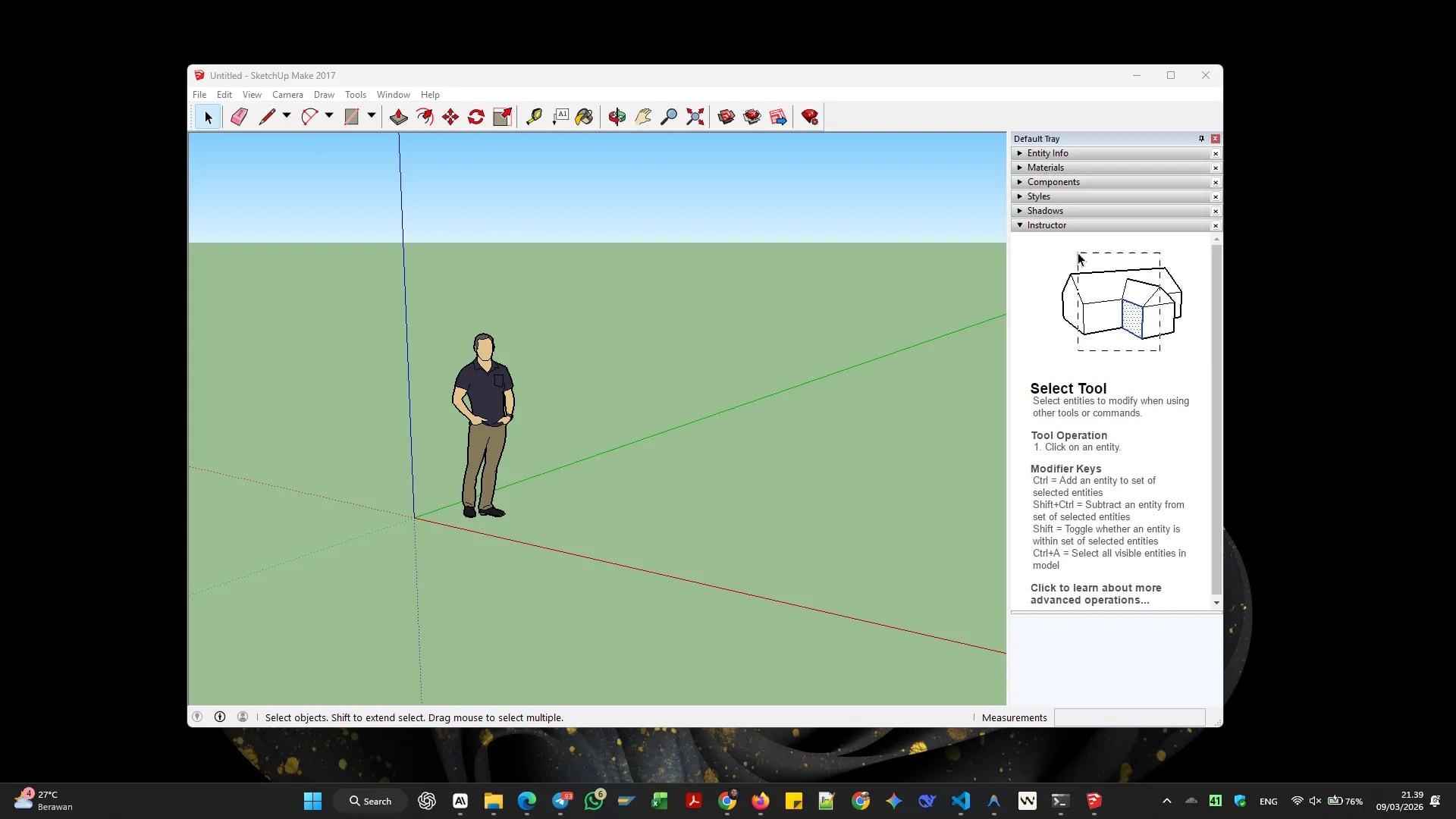 As an alternative without any installation, you can also try SketchUp for Web directly from your browser. Hope this helps!
System Specifications
The specs above don't include the requirements for additional rendering engines like V-Ray or Lumion.
Important Note on Licensing
The Make version is for non-commercial use only — such as hobbies, personal projects, or education. If you are using SketchUp for professional work that generates income, you are required to use the Pro license. SketchUp 2017 Make was the last free version before Trimble shifted to web-based and subscription models.
Legality, Source Trust, & OS Compatibility
- Malware Scans: The installer download provided below is pre-scanned and verified to be free of bloatware or malware.
- Antivirus Warning: Sometimes, security applications flag older archived installers as false positives. If you encounter issues running the installer, you can temporarily disable Windows Defender during the setup.
- Windows 11 Compatibility: SketchUp Make 2017 runs perfectly on Windows 10 and Windows 11. If you run into UI scaling bugs or startup crashes, simply right-click the shortcut, go to Properties > Compatibility, and run the program in compatibility mode for Windows 8.
How to Install SketchUp Make 2017
1
Download the Installer
Use the secure link in the download section below to download the SketchUp Make 2017 installer to your computer.2
Run the Executable
Double-click the downloaded.exe file. If prompted by User Account Control (UAC), click Yes to allow the installer to make changes.3
Complete the Wizard
Follow the on-screen instructions, select your installation path, and click Install. Once finished, check the box to launch the application.4
The 30-Day Trial Buffer
Upon first launch, you will see a screen showing a 30-day trial for SketchUp Pro features. Don't worry—this is normal. Keep reading below to see what happens when it expires.First Impressions & The Trial Screen
Zoom
Update after 30 days: Once the trial period ends, the application actually continues to work normally under the SketchUp Make 2017 User license. The functionality remains intact for non-commercial needs, so there is no need to worry about losing access.
Download SketchUp Make 2017
Frequently Asked Questions
If you have any experiences or tips regarding SketchUp Make 2017, feel free to share them in the comments — I'll update this post if there is any new info that needs to be added.
Zoom
Topics
Topics in this article
Explore related topics and continue reading similar content.
Share this article
Discussion
Preparing the comments area...